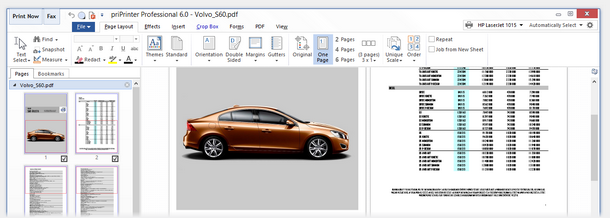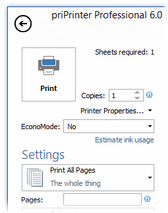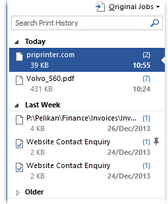
priPrint screenshot  

priPrinter

is a fast, small, user-friendly virtual printer, previewer, and editor.
It has a nice array of features for preview your print jobs. Of course you can print booklets, posters or just put a lot of pages on the one physical paper sheet.
Preview it, to be sure how your prints will look like.
How it works
  priPrinter on Windows Vista
More screenshots
32 and 64-bit versions

Easy to use

Each feature is easy to find and use.
Just print from any Windows application to priPrinter driver to get print preview and for adjusting your printings.
Adjust most of properties by mouse. For example click on margin and drag it in order to reduce or enlarge. Of course you can type exact values in standard way.

Custom Layout layout

  • Keep original layout or print 1, 2, 3, 4 or any number of pages on a single paper.
  • Adjustable margins and gutters.
  • Custom scaling.
  • Drag your pages with mouse
  • Small and fast

    priPrinter is designed as a fast and small virtual printer driver and previewer. Printer driver's components are just about hundred Kbytes. Rest parts are loaded only during printing or previewing. It does not eat your system resources.

    Forms

    You can use any document as form. Just save desired document to the list of forms and use it as form.

    CropCropping

    Crop pages by any rectangle, remove headers, footers or just drop all redundant information. You can crop individual pages, selected ones. Or just remove empty space automatically.

    Copy text tool

    Select block of text directly in the print preview area and copy it to clipboard.

    Print to images

    Print pages into image files. JPEG, TIFF, PNG, TGA formats are supported.

    Booklets, Posters

    Just select booklet or poster mode and print document to poster or booklet.

    Measurements

    Horizontal and vertical rulers, measurement tool - you will be sure about exact position of each part of your prints. Of course you can resize and reposition pages on the paper.

    Full Screen preview

    priPrinter allows you to view all your pages in full-screen mode. To view the pages in full-screen mode, just click the corresponding menu item or press "F11".

    Loupe tool

    The Loupe tool magnifies pages from 10 to 6000 percent. Use it to zoom pages in main preview window or in thumbnails area. Loupe tool works in measurement and crop modes as well.

    Text with macros

    Add your own text comments with transparency and optional macros on the pages. It is easy to create watermarks, comments and page numbers.


    Advanced features

    Developers or print enthusiasts may found following features very interesting
  • list of fonts and bitmaps were used in print job
  • transparent mode - easy to understand which parts are filled by printing applications and which are not.
  • text search - search text in document.
  • image export - click on any picture in page and save it to image file. Also you may open Document Properties dialog and go to the list of pictures.