
Screenshots | How does this work?
| 
Print directly to your printer and
waste paper and toner? You can print your documents via
priPrinter!
With priPrinter you can be sure
that your print job will match your intentions.

Screenshots | How does this work?
|
Print directly to your printer and
waste paper and toner? You can print your documents via
priPrinter!
With priPrinter you can be sure
that your print job will match your intentions.
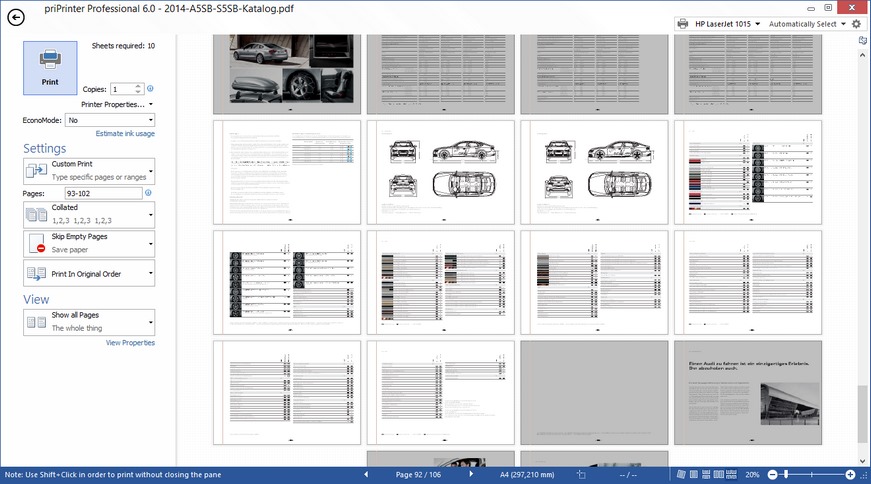
priPrinter is a virtual printer and print preview program that prints your documents in the way you wish. With priPrinter you can view and modify real sheets of papers right on your screen without need to print. You are free to delete or rearrange pages, adjust margins, put many pages onto one paper, correct or redact text, apply watermarks. With few mouse clicks you can create booklets, posters, letterheads.
Finally you can print your job to real printer in single or double sided mode, save to PDF or image files. Print history is available and easy to use, allows to check or reprint previously printed documents. You can search all your documents for any word or phrase.
Every feature is beautifully designed, for instance: you can drag margins with mouse or type exact values, create new or use existing watermarks, view pages in classic one page mode or even in 3D. You can use priPrinter to save commonly used layouts and settings to profiles.
Preview your print job | Rearrange pages and jobs | Make it look absolutely perfect | Correct small mistakes | Save your time, your toner, and trees.
01 May 2023
priPrinter 6.9.0.2541 is avaiable for testing.
03 October 2020
priPrinter 6.6.0.2501 is released.
13 April 2020
priPrinter 6.6.0.2491 is released.
28 January 2019
priPrinter 6.5.0.2457 is
released.
2 January 2018
priPrinter 6.4.0.2446 is
released.
30 January 2017
priPrinter 6.4.0.2430 is
released.
22 May 2016
priPrinter 6.4.0.2411 is
released.
2 November 2015
priPrinter 6.3.0.2387 is
released.
Starting from original layout, with initial proportions to multiple pages per sheet (N-Up layout). Margins and gutters are adjustable, pages can be moved with mouse. Settings can be organized into profiles-themes.
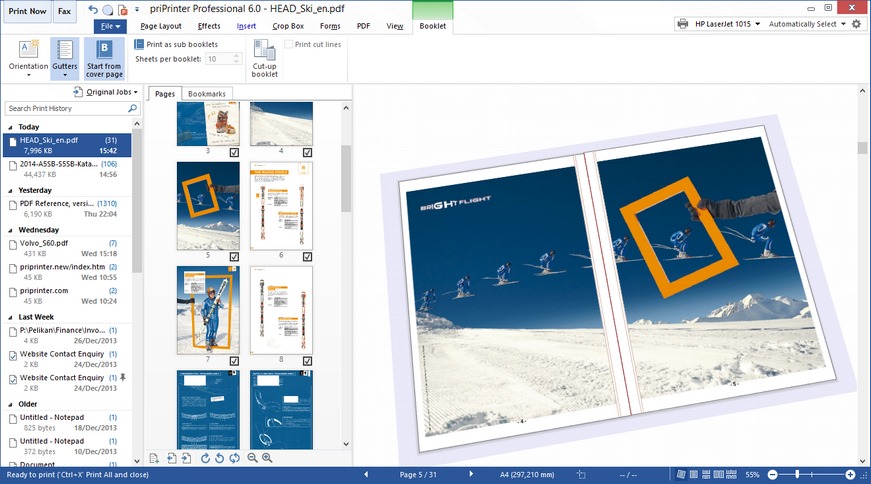
This special mode not only looks cool but very helpful when it is difficult to imagine how your booklet or complex double sided document will look like. You will see how document can be flipped or stacked.
It's easy to create watermarks or text remarks with priPrinter. You may select the watermark from a predefined list, modify watermark after insertion and save it back to the list of watermarks. Macros are supported.
Apart from editing pages one by one, it is possible to remove margings, header and footers with crop tool. It's much easier to put more content onto one piece of paper.
It's easy to create PDF document or send it by email using priPrinter Professional edition. Just print your document to priPrinter, assure yourself that everything is correct and in one click create your PDF file.
With build-in text editor you are free to apply final changes to your documents even in case you can't do it in your main application. Of course it's possible to highlight text or change font attributes.
You can remove text or graphics from printouts or PDF documents. It is easy to remove Social Security number, bank details!
priPrinter allows to create simple action or highly complex automations, involving conditions, loops, custom variables and other advanced options.
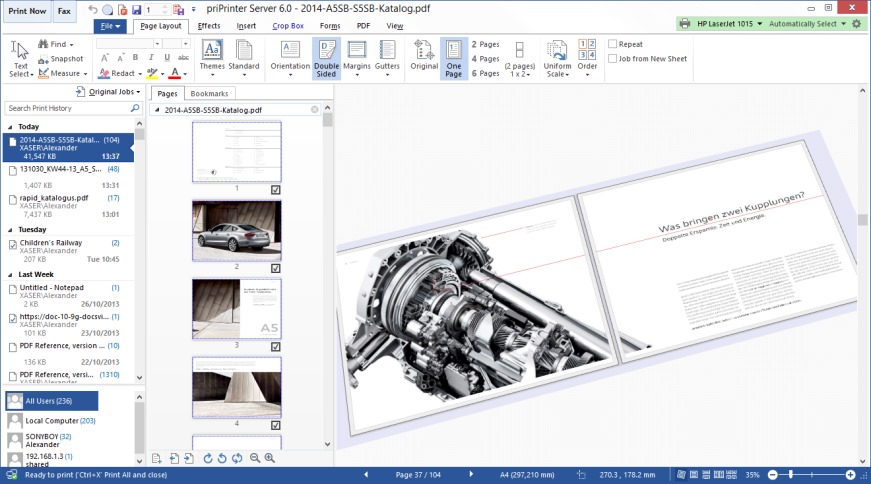
Is a network based print preview solution. With easy-to-use interface, amazing features and highly optimized internal design, it provides an unique ability to share single print preview and PDF publisher across network.
Any user can print from network computer and this print job will be displayed on another, server computer.
Learn how priPrinter helps students, teachers and schools to finish schools projects and save on paper.
 Localizations
 Works on Windows 11, 10, 8.1, 8, 7, Windows Vista™, Windows® XP,
Windows® Server 2003.
Works on Windows 11, 10, 8.1, 8, 7, Windows Vista™, Windows® XP,
Windows® Server 2003."I am extremely satisfied with priPrinter. It’s an amazing powerful & outstanding product. priPrinter has helped me improved my productivity with my day-to-day activities. Keep up the good work." Hernan R. N.
 English
 Arabic
 Chinese
 Croatian
 Czech
Czech Danish
 Deutsch
 Français
 Magyar
 Nederlands
 Hindi
Hindi Indonesian
 Italian
 Greek
Greek Japanese
 Korean
 Macedonian
 Persian
 Polish
 Português
 Русский
 Slovak
 Slovenian
 Spanish
 Sweden
 Ukrainian